
 Ilan Asseo
AeroLeads LinkedIn: What It Captures and Safer Options
What AeroLeads captures from LinkedIn, associated account-safety and privacy risks, and recommended safer alternatives like Kakiyo and LinkedIn Sales.

Scraping LinkedIn contacts with browser extensions creates account safety and compliance risks that most teams underestimate. This guide covers what AeroLeads captures, where it breaks, and safer alternatives for LinkedIn prospecting.
LinkedIn has 1 billion+ members now, which makes copying prospect data by hand one of the most expensive “free” activities in sales. The catch is that the wrong kind of AeroLeads LinkedIn data capture can create two problems fast: account safety risk on LinkedIn and privacy/compliance risk off LinkedIn.
Industry evidence: “As customers increasingly learn and buy digitally, sales reps become just one of many possible sales channels.” — Cristina Gomez, Managing Vice President, Gartner.
Source: Gartner
What is AeroLeads LinkedIn?
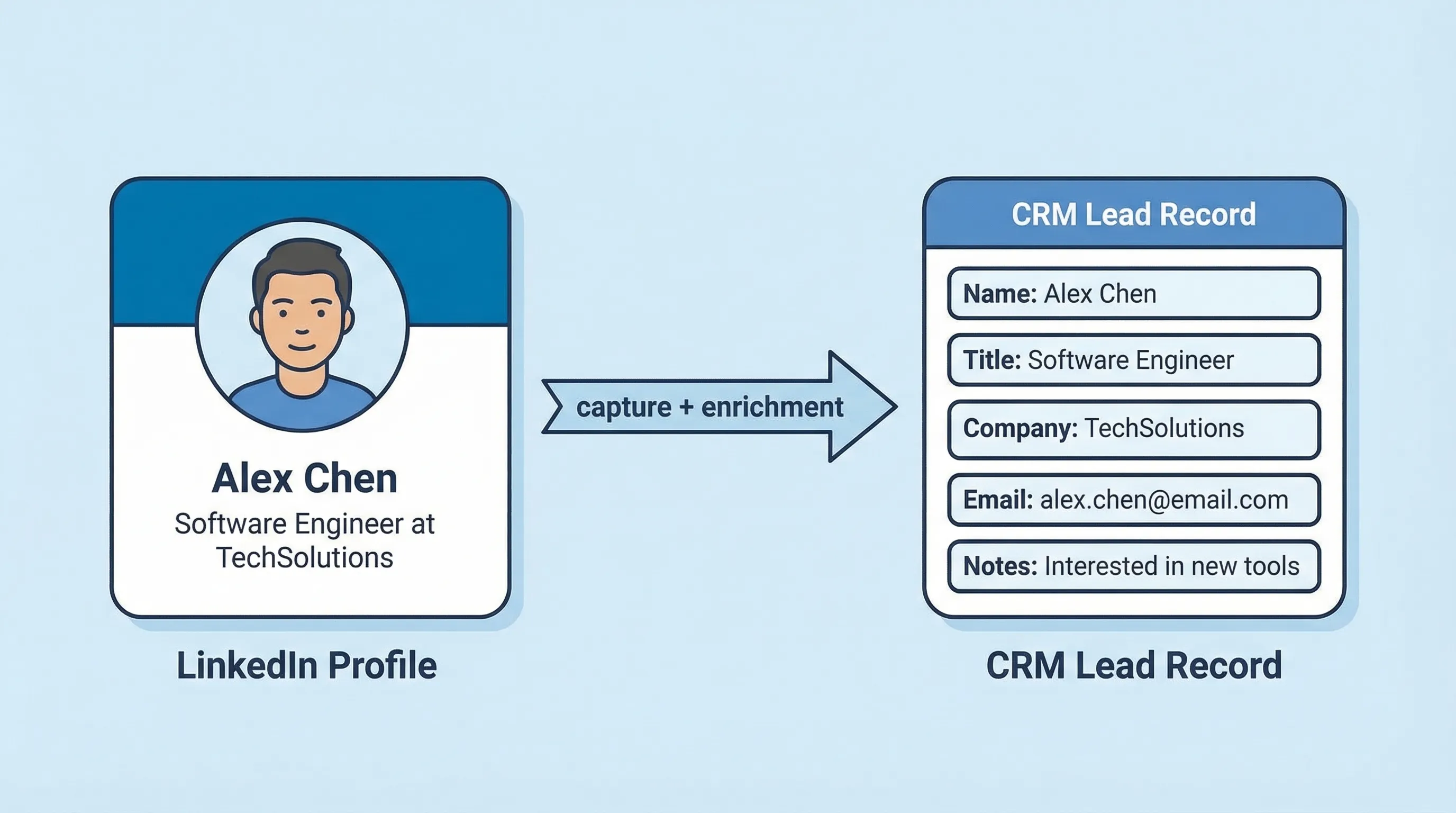
AeroLeads LinkedIn typically refers to using AeroLeads (often via a browser extension or workflow) to capture lead details from LinkedIn profiles and then enrich those leads with contact data like work emails. It’s mainly used to turn LinkedIn browsing into a structured lead list for outbound.
Quick comparison: AeroLeads and safer options
| Tool Name | Best For | Key Feature | Starting Price |
|---|---|---|---|
| Kakiyo | Autonomous LinkedIn conversations that qualify and book meetings | AI runs the full LinkedIn thread, scores intent, books meetings | Demo / quote |
| AeroLeads | Capturing leads while browsing LinkedIn, then enriching to find contact info | LinkedIn-to-lead capture plus contact discovery workflows | Free trial (check site) |
| Apollo | All-in-one prospecting plus sequencing for lean teams | Large B2B database + enrichment + outbound workflows | Free plan available |
| ZoomInfo | Enterprise-grade data coverage and org intelligence | Deep company/contact data and buyer signals (varies by package) | Contact sales |
| Lusha | Fast contact enrichment for SDRs | Simple enrichment and prospecting experience | Free plan available |
| LinkedIn Sales Navigator | First-party LinkedIn prospecting without scraping | Advanced search, lead lists, alerts inside LinkedIn | Paid plans (varies) |
What does AeroLeads capture from LinkedIn (and what it usually enriches)?
Most “AeroLeads LinkedIn” use cases fall into two buckets:
- Capture (from what you view): turning a LinkedIn profile you’re looking at into a structured lead record.
- Enrichment (from a database): appending contact fields like work email, phone, company domain, and sometimes firmographic attributes.
What you can capture depends on your workflow and what data is available, but in practice teams use tools like AeroLeads to store a lead record with fields similar to the below.
| Field type | Examples of fields teams typically save | Where it comes from |
|---|---|---|
| Profile identifiers | Full name, LinkedIn profile URL | LinkedIn page you viewed |
| Role and company context | Current title, company name, headline | LinkedIn page you viewed |
| Location and industry cues | Location, industry (when visible) | LinkedIn page you viewed |
| Contact enrichment | Work email guesses/verified emails, phone (availability varies) | Vendor database and verification methods |
| Company enrichment | Company domain, size band, industry tags (availability varies) | Vendor database and enrichment sources |
If your goal is meetings, the important nuance is this: capturing data is not qualification. You still need a thread that creates evidence of fit and intent, otherwise you end up with full spreadsheets and empty calendars. (If you want a rigorous framework, see Kakiyo’s guide on proof-based qualification.)
The real risk: LinkedIn account safety and privacy exposure
Teams usually evaluate tools like AeroLeads on one axis only: “Does it find emails?” Operators evaluate on three:
- Platform risk: LinkedIn’s policies generally prohibit scraping and certain automated behaviors. If your workflow relies on scraping or aggressive automation patterns, you’re betting your outbound channel on not getting flagged. Start with the LinkedIn User Agreement and treat account restrictions as an operational risk, not a rare edge case.
- Privacy and compliance risk: If you’re processing personal data, you need a defensible basis to collect, store, and use it. Under GDPR, administrative fines can be up to €20 million or 4% of global annual turnover (whichever is higher) in certain cases. See GDPR Art. 83.
- Accuracy risk: Enrichment data can be wrong, outdated, or role-mismatched. Bad data increases bounce rates, spam complaints, and wasted SDR cycles.
A “safer option” is not just a different vendor. It’s a different approach that minimizes scraping dependence, reduces unnecessary personal data collection, and still produces qualified meetings.
Kakiyo
What it does (2 sentences): Kakiyo autonomously manages personalized LinkedIn conversations at scale, from first touch to qualification to meeting booking. SDRs supervise outcomes and step in only when it’s time to close or when human judgment is required.
Standout feature (1 sentence): Unlike tools that automate sending, Kakiyo runs the full multi-turn conversation, qualifies leads with an intelligent scoring system, and books meetings.
Who it’s for (1 sentence): SDR teams and revenue leaders who want more qualified meetings from LinkedIn without living in the inbox.
Pricing: Demo / quote (see Kakiyo).
Pros
- Built for the hardest part of outbound, handling real replies, objections, and qualification turns.
- Scales many conversations simultaneously with control (override) and measurement.
- Optimizes for downstream outcomes (qualified conversations, meetings), not just lead capture.
Cons
- Not a contact database, pair it with a data source if you need net-new emails/phones.
- Requires clear qualification criteria to get the best results.
AeroLeads
What it does (2 sentences): AeroLeads is commonly used to capture leads while you browse the web (including LinkedIn) and enrich them with contact information. It helps convert ad hoc prospect research into a list you can work.
Standout feature (1 sentence): Smooth “capture while browsing” workflow that turns profiles into lead records quickly.
Who it’s for (1 sentence): Reps who prospect manually on LinkedIn and want faster list building plus enrichment.
Pricing: Free trial available (check AeroLeads for current plans).
Pros
- Fast path from LinkedIn browsing to a usable lead list.
- Helpful when you have a narrow ICP and need to build a first list quickly.
- Can reduce admin work versus copy-paste prospecting.
Cons
- Data capture and enrichment does not solve qualification or meeting booking.
- Any workflow that resembles scraping can introduce LinkedIn account risk.
Apollo
What it does (2 sentences): Apollo combines prospect data, enrichment, and outbound workflows in one place. Many teams use it to find contacts, enrich records, and run sequences without stitching together multiple tools.
Standout feature (1 sentence): A broad “all-in-one” approach that blends database plus outbound execution.
Who it’s for (1 sentence): Lean SDR teams that want a single system for data and outbound workflows.
Pricing: Free plan available (see Apollo).
Pros
- Strong value if you need both data and basic outbound execution.
- Easier to operationalize than using separate point solutions.
- Good for repeatable list building with consistent filters.
Cons
- Not designed to autonomously manage multi-turn LinkedIn qualification conversations.
- Data quality and coverage vary by segment, always validate against your ICP.
ZoomInfo
What it does (2 sentences): ZoomInfo is an enterprise B2B data and intelligence platform used to source and enrich contacts and accounts. It’s typically adopted when data coverage, governance, and cross-team standardization matter.
Standout feature (1 sentence): Enterprise-grade data depth and packaging (varies by bundle) for large-scale prospecting.
Who it’s for (1 sentence): Mid-market and enterprise teams that need strong coverage and structured prospecting workflows.
Pricing: Contact sales (see ZoomInfo).
Pros
- Often a strong fit when you need robust account and contact coverage.
- Useful for standardization across SDR, marketing ops, and RevOps.
- Better suited to higher governance environments than ad hoc scraping workflows.
Cons
- Investment level is usually higher than SMB tools.
- Still doesn’t replace the conversation layer that qualifies and books meetings.
Lusha
What it does (2 sentences): Lusha focuses on contact enrichment and prospecting so reps can find and use contact details faster. It’s commonly used as a lightweight enrichment layer for outbound.
Standout feature (1 sentence): Simple, rep-friendly enrichment experience for fast prospecting.
Who it’s for (1 sentence): SDRs who want quick enrichment without adopting a heavy platform.
Pricing: Free plan available (see Lusha).
Pros
- Easy to adopt for individual reps and small teams.
- Works well as an enrichment add-on in an existing stack.
- Useful when you already know who you want to target on LinkedIn.
Cons
- Does not manage LinkedIn conversations or qualification.
- Coverage and accuracy can vary by geography and persona.
LinkedIn Sales Navigator
What it does (2 sentences): Sales Navigator is LinkedIn’s first-party prospecting product for building lead lists, searching with advanced filters, and tracking account and lead activity. It helps you find the right people without relying on third-party scraping behaviors.
Standout feature (1 sentence): First-party search and lead list building inside LinkedIn.
Who it’s for (1 sentence): Any team doing LinkedIn-first outbound that wants safer targeting and list building.
Pricing: Paid plans vary (see LinkedIn Sales Navigator).
Pros
- Lower platform risk than scraping-style workflows because it’s native to LinkedIn.
- Strong filters for ICP slicing and buying-group mapping.
- Helps reps act on real LinkedIn signals (job changes, growth, activity).
Cons
- Not a contact database, it won’t reliably give you emails/phones.
- Doesn’t run the conversation, your team still needs a system for qualification and booking.
What “safer” looks like in practice (operator checklist)
If you’re evaluating AeroLeads LinkedIn versus alternatives, don’t argue about features first. Decide what you’re optimizing for.
A safer setup usually means:
- Use first-party LinkedIn for targeting: Sales Navigator for list building and ICP slicing.
- Use a reputable data provider for enrichment: Avoid dependence on scraping patterns, validate coverage, and keep only the fields you actually use.
- Use an autonomous conversation layer for qualification: The biggest waste is not “no email found,” it’s “got a reply and fumbled the thread.” Tools like Kakiyo exist for that specific gap.
LinkedIn also reports “4 out of 5 members drive business decisions”, which is exactly why you should treat the inbox like a buyer experience, not a growth hack. Source: LinkedIn Marketing Solutions.
Which tool should you choose?
If you want autonomous AI conversation management and LinkedIn lead qualification, use Kakiyo.
If you want LinkedIn capture plus enrichment while you prospect manually, use AeroLeads.
If you want an all-in-one prospect database plus outbound workflows, use Apollo.
If you want enterprise-grade contact and company intelligence, use ZoomInfo.
If you want first-party LinkedIn list building with lower platform risk, use LinkedIn Sales Navigator.
FAQ
AeroLeads LinkedIn: is it scraping?
It depends on the exact workflow, but many “capture from LinkedIn” experiences behave like scraping from a practical risk perspective because they extract profile data at scale. Read LinkedIn’s policies and treat account restriction risk as a real cost.
What does the AeroLeads LinkedIn extension capture?
In most workflows, it captures profile identifiers (name, LinkedIn URL), role and company context (title, company), and may push the record into a list or CRM. The “email and phone” fields are typically added via enrichment, not pulled directly from LinkedIn.
What are safer AeroLeads alternatives for LinkedIn prospecting?
If you need safer targeting, start with LinkedIn Sales Navigator (first-party). If you need safer meeting outcomes, use a conversation system like Kakiyo that focuses on qualification and booking, rather than extracting more personal data.
Is there a Kakiyo vs AeroLeads difference in what they optimize for?
Yes. AeroLeads is primarily about lead capture and enrichment, turning browsing into records. Kakiyo is built to run the multi-turn LinkedIn conversation, qualify with scoring, and book meetings so SDRs only step in to close.
What is the best LinkedIn lead qualification software?
The best tool is the one that can reliably turn replies into evidence of fit and intent, then convert that evidence into booked meetings with control and reporting. If LinkedIn is a primary channel and you want autonomous qualification in-thread, Kakiyo is purpose-built for that job.
Book a Kakiyo demo to see autonomous LinkedIn conversations that qualify and book meetings in action.